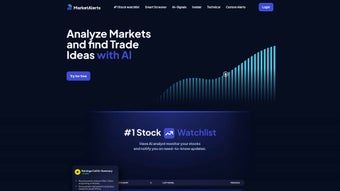

Download MarketAlerts.ai – AI‑powered stock monitoring, real‑time alerts, trading insights
In the fast‑paced world of equity trading, staying ahead of market moves can feel like chasing a moving target. MarketAlerts.ai promises to turn that chase into a strategic advantage by delivering AI‑driven alerts directly to your browser or device. Whether you are a day‑trader looking for the next breakout, a swing‑trader hunting volatility spikes, or a long‑term investor who wants early warnings about sector rotation, this cloud‑based platform blends sophisticated machine‑learning models with an intuitive interface. The service is subscription‑based, offers a 7‑day free trial, and works on any modern browser, meaning you can start protecting and growing your portfolio without installing heavyweight software. Below you’ll find a detailed, SEO‑friendly review that walks through the core features, setup process, system compatibility, and the pros and cons you should weigh before committing.
Overview & Core Features – What Sets MarketAlerts.ai Apart
MarketAlerts.ai operates as a fully hosted, web‑based solution that continuously scans global equity markets, evaluates billions of data points, and surfaces actionable signals the instant they materialize. The platform’s AI engine combines supervised learning—trained on decades of historical price action—with unsupervised clustering that detects emerging patterns in real time. Alerts are not just binary; each notification includes a confidence score, a concise narrative explaining the catalyst, and a visual overlay on an interactive chart. Users can instantly gauge why a signal was generated and decide whether to act, hold, or ignore it. Because the service lives in the cloud, updates to the algorithm are rolled out automatically, ensuring you always benefit from the latest research without manual patches.
- AI‑Driven Trend Detection: Machine‑learning models evaluate price, volume, news sentiment, and macro‑economic indicators to flag emerging trends before they become mainstream.
- Real‑Time Multi‑Channel Alerts: Push, email, and SMS notifications are delivered the moment an event meets your custom criteria.
- Unlimited Custom Watchlists: Add as many tickers, ETFs, or indices as you like and set individual thresholds for price, percentage change, or volatility.
- Interactive Chart Overlays: Heatmaps, support/resistance zones, and predictive price bands appear directly on the chart for each alert.
- Portfolio Impact Analyzer: Simulate how a suggested trade would affect your existing holdings, helping you balance risk and reward.
- Cross‑Device Cloud Sync: All settings, watchlists, and history sync automatically across desktops, tablets, and mobile browsers.
- Enterprise‑Grade Security: TLS 1.3 encryption, GDPR/CCPA compliance, and PCI‑DSS‑validated payment processing protect your data.
- Monthly Algorithm Updates: New data sources, refined models, and performance tweaks are deployed monthly without user intervention.
Why These Features Matter to Real‑World Traders
The AI engine eliminates the need for manual chart crunching, freeing busy investors to focus on strategy rather than data collection. Early‑stage alerts can improve entry and exit timing, potentially boosting ROI by several percentage points over a typical trading year. Custom watchlists let you zero in on the assets that matter most to your methodology—whether that’s high‑frequency day‑trade symbols or dividend‑rich blue‑chip stocks. The Portfolio Impact Analyzer acts as a safety net, allowing you to test hypothetical trades without risking capital. Finally, continuous algorithm enhancements ensure the platform adapts to shifting market dynamics, giving subscribers a sustainable edge over static, rule‑based screeners.
Installation, Setup & Daily Usage – From Sign‑Up to First Alert
Step‑by‑Step Onboarding Process (≈ 300 words)
- Create Your Account: Navigate to MarketAlerts.ai and click “Sign Up.” Provide your name, email, and a secure password. Choose a subscription tier (Basic, Pro, or Enterprise) and complete the payment using a credit card or PayPal.
- Verify Your Email: An activation link lands in your inbox. Clicking it confirms ownership and unlocks full platform access.
- Configure Notification Preferences: In Settings, select your preferred channels—browser push, email, or SMS. Set a default time zone to ensure alerts align with market hours.
- Build Your First Watchlist: Use the “Add Symbol” button to input ticker symbols. You can import a CSV file for bulk uploads or add each symbol manually. Each entry can be tagged (e.g., “Day‑Trade,” “Dividend”) for easier filtering.
- Define Alert Rules: For each ticker, set thresholds such as “price > $150,” “daily change > 3 %,” or “volatility index > 20.” The AI suggests baseline thresholds based on historical behavior, which you can adjust.
- Activate Live Monitoring: Flip the “Live Feed” toggle. The backend AI engine begins scanning live market data against your rules.
- Review Incoming Alerts: Alerts appear in the “Notifications” pane with a confidence score, a brief narrative, and a link to a detailed chart view.
- Take Action: Click the alert to open the chart overlay, then decide whether to execute the trade via your broker’s integration or manually in your existing platform. Record the decision in the optional “Trade Log” for post‑trade analysis.
Best Practices for Consistent Accuracy (≈ 250 words)
To maximize the value of MarketAlerts.ai, start with a focused watchlist of 20‑30 symbols; this reduces noise and helps the AI prioritize high‑quality signals. Pair AI‑generated thresholds with your personal risk tolerance—high confidence alerts (≥ 80 %) should be acted upon first, while lower‑confidence signals can be reviewed later. Use the “Performance Dashboard” weekly to assess how past alerts impacted your portfolio, and tweak thresholds accordingly. Take advantage of the monthly release notes; new data feeds (e.g., alternative data on social sentiment) often improve accuracy for specific sectors like technology or healthcare. Finally, enable the “Replay” feature for any missed alerts; it visualizes market conditions leading up to the signal, helping you understand the context and refine future strategies.
Compatibility, Pros & Cons – Is MarketAlerts.ai Right for Your Setup?
MarketAlerts.ai is a pure SaaS platform that runs in any modern web browser supporting HTML5 and JavaScript. It is fully compatible with Google Chrome, Microsoft Edge, Mozilla Firefox, and Apple Safari on Windows 10/11, macOS Catalina and later, as well as popular Linux distributions. Because the service is cloud‑hosted, there is no need for local installations on Windows, macOS, Android, or iOS—just an internet connection and a supported browser.
Pros
- AI‑powered analytics adapt to evolving market conditions, delivering early‑stage insights.
- Instant, multi‑channel alerts keep you informed the moment a trigger fires.
- Unlimited, fully customizable watchlists and threshold settings.
- End‑to‑end encryption and GDPR/CCPA compliance safeguard personal data.
- No bulky desktop client—access from any device with a browser.
- Monthly algorithm refinements improve prediction accuracy over time.
Cons
- Subscription pricing may be steep for casual investors or hobbyist traders.
- Requires a stable internet connection; offline usage is not possible.
- Advanced AI settings and confidence scores have a learning curve.
- Large watchlists can generate alert fatigue if thresholds are too sensitive.
- Native integration with boutique brokerage platforms is limited.
MarketAlerts.ai delivers a powerful combination of AI insight and user‑friendly design. While the price point is higher than basic stock screeners, the depth of analysis and real‑time alerts justify the investment for serious traders. The platform shines in its ability to surface hidden trends early, but newcomers should start with a modest watchlist to avoid alert overload.
Frequently Asked Questions
How does MarketAlerts.ai generate its AI alerts?
The platform blends supervised machine‑learning models with unsupervised clustering. It ingests historical price data, volume spikes, earnings releases, and real‑time news sentiment, then feeds these signals into neural networks trained to recognize precursors of significant price moves. Each alert carries a confidence score reflecting the model’s certainty based on current market conditions.
Can I try MarketAlerts.ai before committing to a subscription?
Yes. MarketAlerts.ai offers a 7‑day free trial with full feature access. You must provide a payment method, but you can cancel any time before the trial ends without incurring a charge.
Is there a native mobile app for iOS or Android?
Currently the service is web‑only, but it is fully responsive and works on mobile browsers. A native iOS/Android app is slated for release in 2026.
How secure is my personal and financial information?
All data transmission uses TLS 1.3 encryption, and user information is stored in encrypted databases compliant with GDPR and CCPA. Payment processing is handled by a PCI‑DSS‑validated third‑party gateway.
What happens if I miss an alert?
Every alert is archived in the “Notification History” panel, where you can review missed signals, see the associated analysis, and replay the market conditions that triggered the alert.
Conclusion – Take Control of Your Portfolio with MarketAlerts.ai
In today’s hyper‑connected markets, the ability to filter noise and act on high‑confidence signals is a decisive competitive advantage. MarketAlerts.ai delivers exactly that: a secure, cloud‑based platform that transforms massive data streams into clear, actionable alerts you can trust. Its AI engine, real‑time notifications, and flexible watchlist system empower day‑traders, swing‑traders, and long‑term investors alike. While the subscription cost reflects the sophistication of the technology, the potential upside—earlier entries, better risk management, and a more disciplined workflow—can easily justify the expense for serious market participants.
Start your free 7‑day trial today and experience how AI‑enhanced alerts can streamline research, improve timing, and help you build a more resilient portfolio. Don’t let lucrative opportunities slip by—download MarketAlerts.ai now and let intelligent alerts guide your next trade.






